TL;DR
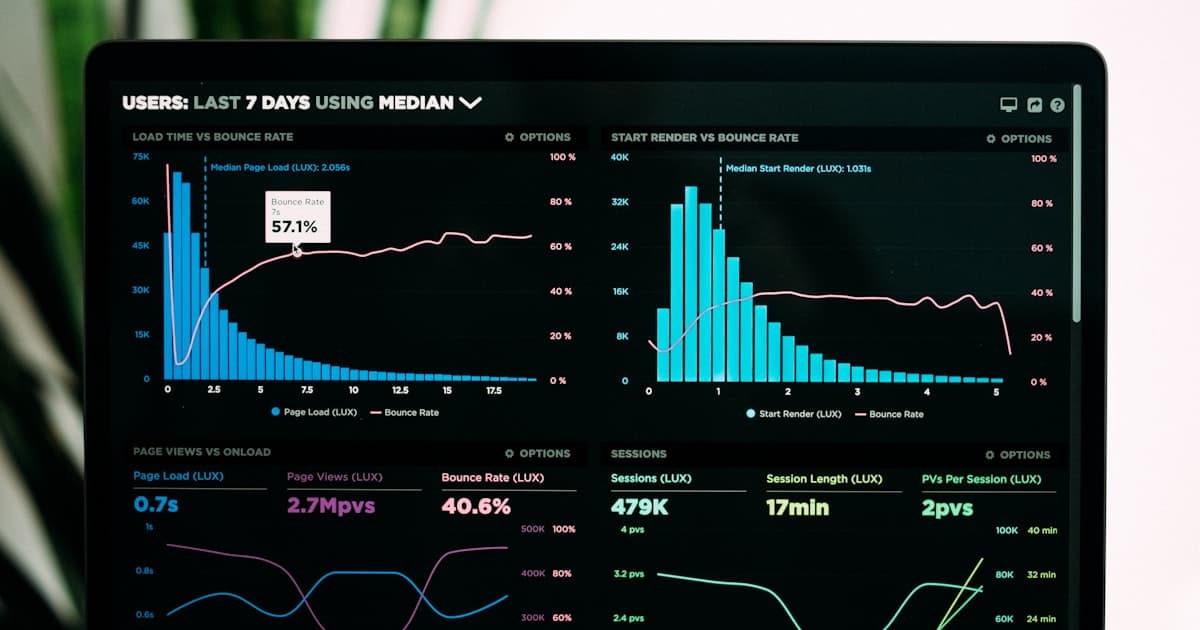
The average bounce rate across industries is 45-55% in GA4. To reduce yours, focus on page speed (sites loading in 1 second have a 7% bounce rate vs. 38% at 5 seconds), match content to search intent, improve mobile experience, and add clear calls to action above the fold. Combining these fixes typically produces a 20-30% reduction in bounce rate. The biggest single lever is page load time -- according to Google research, bounce probability increases 32% when load time goes from 1 to 3 seconds.
A high bounce rate means visitors are leaving your website without taking any meaningful action. They land on a page, decide it is not worth their time, and leave. Every bounce is a missed opportunity -- a potential customer, lead, or subscriber who chose not to engage. For small businesses, where every website visitor matters, reducing bounce rate directly translates to more leads and revenue.
The fix is not mysterious, but it requires diagnosing the right problem. A slow page, misleading meta description, confusing layout, or missing call to action can each drive visitors away. This guide covers 10 specific, proven fixes that address the most common causes of high bounce rates -- with benchmarks, real data, and implementation steps you can act on this week. If your website is not generating leads, bounce rate is one of the first metrics to investigate.
What Does Bounce Rate Actually Measure in GA4?
In Google Analytics 4, bounce rate is the percentage of sessions that were not engaged. A session counts as engaged if the visitor stays longer than 10 seconds, views two or more pages, or triggers a conversion event. This is different from the old Universal Analytics definition, where any single-page session counted as a bounce regardless of time spent.
The GA4 definition is more useful because it accounts for visitors who land on a page, read the entire article for three minutes, and leave satisfied. Under the old system, that counted as a bounce. In GA4, it does not. If your bounce rate seems lower than expected after migrating to GA4, this is why -- the measurement changed, not your site performance.
Bounce rate and engagement rate are inverse metrics in GA4: they always add up to 100%. If your engagement rate is 60%, your bounce rate is 40%. You can find both metrics under Reports > Acquisition > Traffic Acquisition in GA4. For a deeper walkthrough, see our Google Analytics 4 guide.
What Are the Bounce Rate Benchmarks by Industry?
Before optimizing, know what "normal" looks like for your type of website. A blog with a 75% bounce rate is performing within range. A service page with the same number has a problem. These benchmarks are based on GA4 data from 2026 (Causal Funnel, 2026).
Mobile bounce rates typically run 8-12 percentage points higher than desktop (MobiLoud, 2026). Since mobile accounts for over 64% of web traffic, optimizing mobile experience is not optional -- it is where most of your bounces happen. Our mobile-first web design guide covers the full approach.
Pro Tip
Segment your bounce rate by traffic source in GA4 before making changes. If paid social bounces at 78% while organic sits at 42%, you do not have a website problem -- you have an ad targeting problem. Fix the source that drives the worst-quality traffic first.
Fix 1: Speed Up Page Load Time
Page speed is the single most impactful lever for reducing bounce rate. According to Google research, bounce probability increases by 32% when page load time goes from 1 second to 3 seconds, and by 90% at 5 seconds. A separate analysis by Tooltester found that sites loading in 1 second have a 7% bounce rate, while sites loading in 5 seconds see 38%.
The fastest wins for page speed:
- Compress images -- convert to WebP or AVIF format, which reduces file size by 25-50% vs. JPEG without visible quality loss
- Enable browser caching -- returning visitors load cached assets instead of re-downloading everything
- Minimize render-blocking JavaScript -- defer or async non-critical scripts so the page renders before all JS loads
- Use a CDN -- serve assets from edge servers geographically close to the visitor
- Upgrade hosting -- if your time-to-first-byte exceeds 600ms, your host is the bottleneck
Run Google PageSpeed Insights on your top 5 landing pages and prioritize fixes with the largest estimated impact. For a comprehensive speed optimization approach, see our website speed optimization guide.
Fix 2: Match Content to Search Intent
The most common cause of high bounce rate from organic traffic is a mismatch between what the searcher expects and what the page delivers. If someone searches "how much does a website cost" and lands on a page about your web design process, they will bounce. The content does not answer their question.
Search intent falls into four categories, and each requires a different content approach:
- Informational -- the searcher wants to learn ("what is bounce rate"). Give a clear answer immediately.
- Navigational -- the searcher wants a specific page ("Verlua pricing"). Make sure that page is easy to find.
- Commercial investigation -- the searcher is comparing options ("best CMS for small business"). Provide objective comparison data.
- Transactional -- the searcher wants to buy or act ("hire web designer Sacramento"). Remove friction from the conversion path.
Check your top landing pages in GA4 and compare the keywords driving traffic (from Google Search Console) against the actual page content. If there is a mismatch, either update the page content to match the intent or update the meta title and description to set accurate expectations. Our keyword research guide covers how to map keywords to the right intent.
Fix 3: Redesign the Above-the-Fold Experience
Visitors spend roughly 80% of their viewing time on content above the fold (Nielsen Norman Group). If the first screen a visitor sees does not immediately communicate value, they leave. This is not about stuffing everything above the fold -- it is about making sure the first impression answers "Am I in the right place?"
An effective above-the-fold section includes:
- A clear headline that states the value proposition, not a clever tagline
- A supporting subheadline that adds specificity (who this is for, what outcome they can expect)
- A visible primary CTA -- not buried below three paragraphs of text
- One trust signal -- a review count, client logo, or certification badge
Lead with the outcome, not the product. Instead of "We Build Custom Websites," try "Get a Website That Books 30% More Appointments." Sites that place a clear primary CTA above the fold routinely see double-digit conversion lifts. For more on structuring pages that convert, see our conversion rate optimization guide.
Fix 4: Fix the Mobile Experience
Mobile visitors bounce at rates 8-12 percentage points higher than desktop visitors (Contentsquare Digital Experience Benchmarks, 2025). With mobile accounting for 64% of all web traffic (Statista, 2025), a poor mobile experience is the single largest source of unnecessary bounces for most sites.
Common mobile bounce rate killers:
- Tap targets too small or too close together -- buttons and links should be at least 48x48 pixels with adequate spacing
- Text too small to read -- base font size should be at least 16px on mobile
- Horizontal scrolling -- if users have to scroll sideways, something is broken
- Intrusive interstitials -- full-screen pop-ups on mobile trigger both bounces and Google ranking penalties
- Slow mobile load times -- mobile connections are slower, making speed optimization even more critical
Test your pages using Chrome DevTools device emulation on the 5 most common screen sizes (375px, 390px, 414px, 412px, and 360px width). Fix any layout issues where content overflows, buttons are unreachable, or navigation is unusable. The Core Web Vitals guide covers the technical performance metrics Google uses to evaluate mobile experience.
Fix 5: How Do You Improve Content Readability and Scannability?
People do not read web pages -- they scan them. Nielsen Norman Group research found that users read only about 20% of the text on a page. If your content is a wall of unformatted text, visitors cannot quickly find the information they need and they bounce.
Structural changes that reduce bounce:
- Short paragraphs -- 2-3 sentences maximum. Long blocks of text are visually overwhelming.
- Descriptive subheadings -- every H2 and H3 should tell the scanner what that section covers
- Bullet points and numbered lists -- break up complex information into scannable chunks
- Bold key phrases -- help scanners find the main takeaways without reading every word
- Visual breaks -- images, charts, or callout boxes every 300-400 words prevent fatigue
A useful test: ask someone unfamiliar with the topic to scan the page for 10 seconds and tell you what it is about. If they cannot summarize the main point from headings and bold text alone, the page needs better formatting. Our website copywriting guide covers how to write copy that keeps visitors reading.
Fix 6: Add Strategic Internal Links
Internal links reduce bounce rate by giving visitors a clear next step. When someone finishes reading a section, a relevant internal link keeps them on your site instead of hitting the back button. Internal linking also distributes page authority across your site and helps search engines understand your content structure.
Effective internal linking patterns:
- Contextual links within paragraphs -- link to related content where it naturally fits the topic (this is the most effective type)
- Related posts sections -- display 3-4 related articles at the bottom of blog posts
- Breadcrumb navigation -- show visitors where they are in your site hierarchy
- Hub-and-spoke content clusters -- link supporting articles back to a comprehensive pillar page and vice versa
Aim for 5-10 internal links per blog post and 3-5 per service page. Use descriptive anchor text that tells visitors what they will find -- not generic "click here" or "read more." For a full internal linking strategy, see our dedicated internal linking strategy guide.
Fix 7: Simplify Navigation
Confusing navigation is a silent bounce rate killer. If visitors cannot figure out how to find what they need within a few seconds, they leave. The goal of navigation is not to show everything your site offers -- it is to get visitors to the right page in the fewest clicks.
Navigation fixes that reduce bounces:
- Limit top-level menu items to 5-7 -- more than that creates decision paralysis
- Use descriptive labels -- "Services" is better than "What We Do," and "Website Design" is better than "Services"
- Make the CTA button visible -- your primary conversion action (Get a Quote, Schedule Call) should stand out from other navigation items
- Add a search function -- for sites with more than 20 pages, search is faster than browsing
- Use sticky navigation -- keep the menu accessible as visitors scroll
A good test: ask three people who have never seen your site to find your pricing page. If any of them take more than 10 seconds, your navigation needs work.
Losing Visitors Before They Convert?
A website audit identifies the specific pages and patterns driving visitors away. We pinpoint what to fix and build a plan to keep more visitors engaged.
Fix 8: Add Trust Signals Throughout the Page
Visitors bounce when they do not trust a website. This is especially true for service businesses where the visitor is considering spending money. Trust must be communicated visually and immediately -- most visitors will not dig through your site looking for reasons to trust you.
According to Genesys Growth (2026), testimonials and social proof elements boost conversions by approximately 34%. Video testimonials perform even better, delivering an 80% conversion improvement over text-only reviews. Our trust signals guide covers nine specific signals that convert.
Where to place trust signals for maximum bounce rate impact:
- Above the fold -- Google review rating, number of reviews, or client logo strip
- Near CTAs -- place a testimonial quote directly next to or above every form or button
- Footer -- certifications, association memberships, security badges
- Service pages -- case study snippets showing results (numbers, not just praise)
Pro Tip
Use 3-5 testimonials on the homepage and place them strategically near pricing or CTAs. Research from WiserNotify (2026) indicates that 95% of consumers read online reviews before making a purchase. Make sure yours are visible without scrolling to a separate page.
Fix 9: Use Clear, Specific Calls to Action
A page without a clear call to action is a dead end. Visitors who finish reading or browsing have no obvious next step, so they leave. Every page on your site should answer the question: "What should the visitor do next?"
CTA rules that reduce bounce rate:
- One primary CTA per page -- do not compete with yourself by offering five different actions
- Action-oriented language -- "Get Your Free Audit" outperforms "Submit" or "Learn More"
- Visual contrast -- the CTA button should be the most visually prominent element in its section
- Repeat the CTA -- place it above the fold, mid-page, and at the bottom so visitors encounter it regardless of how far they scroll
- Reduce friction -- minimize form fields. Every additional field reduces completion rate. For detailed form optimization, see our contact form optimization guide
For blog posts, the CTA might be a newsletter signup, related content link, or service page link. For service pages, it should be a direct conversion action like booking a call or requesting a quote. Match the CTA to the visitor's stage in the buying process.
Fix 10: Deploy Exit-Intent Engagement
Exit-intent technology detects when a visitor moves their cursor toward the browser's close button and triggers a targeted message. When implemented well, exit-intent pop-ups can save 10-15% of abandoning visitors (HelloBar, 2026). This is a last-resort engagement tool -- not a replacement for fixing the underlying problems on the page.
Effective exit-intent offers:
- A related resource -- "Before you go, here is a free checklist for [topic]."
- A discount or incentive -- for e-commerce, a 10% discount code recovers abandoned sessions
- A lower-commitment CTA -- if the page asked them to book a call, offer a free guide download instead
Avoid triggering exit-intent on mobile (where cursor movement does not exist in the same way) and never fire it within the first 5 seconds of a visit. The goal is to catch genuinely departing visitors, not to annoy engaged ones.
How Do You Diagnose Your Specific Bounce Rate Problem?
Not every high bounce rate has the same cause. The diagnostic process matters as much as the fixes themselves. Here is the step-by-step process we use when auditing client websites for bounce rate issues.
- Identify the worst offenders. In GA4, go to Reports > Engagement > Pages and screens. Sort by bounce rate (descending) and filter for pages with at least 100 sessions. This removes statistical noise from low-traffic pages.
- Segment by traffic source. A page might have a fine bounce rate from organic but terrible numbers from paid social. This tells you the traffic is the problem, not the page.
- Check mobile vs. desktop. If mobile bounce rate is 20+ points higher than desktop, you have a mobile-specific UX issue.
- Watch session recordings. Use Microsoft Clarity (free) or Hotjar to watch 10-15 recordings of bounced sessions on your worst pages. Look for patterns: do visitors scroll at all? Do they try to click something that is not clickable? Do they rage-click?
- Compare intent to content. Check Google Search Console for the actual queries driving traffic to high-bounce pages. Is the content answering what people searched for?
- Run PageSpeed Insights. If the Largest Contentful Paint exceeds 2.5 seconds, speed is contributing to bounces regardless of other factors.
This diagnostic process almost always reveals 2-3 specific, fixable issues. Trying to fix "high bounce rate" as a general problem is ineffective. You need to know which pages bounce, which visitors bounce, and why they bounce. Our Google Search Console guide shows how to extract the search query data you need for step five.
How Did One Site Drop From 62% to 38% Bounce Rate?
A local service business came to us with a bounce rate of 62% on their homepage -- well above the 15-50% range typical for service sites. Session recordings showed a clear pattern: visitors would land on the page, see a large hero image with a generic tagline ("Quality Service You Can Trust"), scroll briefly, and leave. The page loaded in 4.8 seconds on mobile.
The fixes took two weeks to implement:
- Replaced the generic tagline with a specific value proposition tied to their service area
- Compressed the hero image and switched to WebP format, cutting load time to 2.1 seconds
- Added a Google review widget (4.9 stars, 200+ reviews) above the fold
- Moved the "Get a Free Quote" button from below the fold to immediately below the headline
- Added three internal links to specific service pages within the first screen
Within 30 days, the homepage bounce rate dropped to 38%. Organic lead form submissions increased by 27%. The page speed improvement alone -- from 4.8s to 2.1s -- likely accounted for the largest share of the improvement, consistent with Google's data showing a 32% increase in bounce probability between 1 and 3 seconds of load time (Google/SOASTA Research, 2017). The takeaway: you rarely need to redesign the entire page. Fix speed first, then clarify the value proposition, then make the next step obvious.
Frequently Asked Questions
What is a good bounce rate for a small business website?
A good bounce rate for a small business website is between 30% and 50% in GA4. Service-based businesses typically see 15-50%, while e-commerce sites average 20-45%. However, context matters more than the raw number. A blog post with a 70% bounce rate is normal because readers often get their answer and leave. A service page with a 70% bounce rate signals a problem -- visitors are not taking the next step. Compare your bounce rate against pages with similar intent, not a single universal benchmark.
How is bounce rate different in GA4 vs Universal Analytics?
In Universal Analytics, a bounce was any single-page session -- the visitor viewed one page and left, regardless of time spent. In GA4, a bounce is an unengaged session. A session counts as engaged if the visitor stays longer than 10 seconds, triggers a conversion event, or views two or more pages. This means GA4 bounce rates are typically lower than Universal Analytics bounce rates for the same site. If your old bounce rate was 60% in UA, expect it to be closer to 40-45% in GA4.
Does bounce rate affect SEO rankings?
Google has stated that bounce rate is not a direct ranking factor. However, the user behavior signals that cause high bounce rates -- such as slow load times, poor mobile experience, and content that does not match search intent -- are ranking factors. A page with a high bounce rate from organic search suggests that visitors are not finding what they expected, and Google measures this through dwell time and pogo-sticking (clicking back to search results quickly). Fixing bounce rate issues indirectly improves SEO by improving these engagement signals.
How fast should my website load to prevent bounces?
Your website should load in under 2.5 seconds for desktop and under 3 seconds for mobile to minimize bounces. According to Google research, bounce probability increases 32% when load time goes from 1 to 3 seconds, and 90% when it reaches 5 seconds. Sites that load within 1 second have a 7% bounce rate, while sites loading in 5 seconds see a 38% bounce rate. Start by running Google PageSpeed Insights and prioritizing the Largest Contentful Paint metric, which measures how quickly the main content becomes visible.
Can pop-ups help reduce bounce rate?
Exit-intent pop-ups can reduce bounce rate by 5-15% when implemented correctly. The key is timing and relevance. Triggering a pop-up when a visitor moves their cursor toward the browser close button catches people who are about to leave. Offer something valuable -- a related resource, a discount code, or a lead magnet -- rather than a generic newsletter signup. Avoid triggering pop-ups within the first 5 seconds or on mobile where they hurt usability and can trigger Google interstitial penalties.
What tools can I use to diagnose bounce rate problems?
Start with Google Analytics 4 for page-level bounce rate data broken down by traffic source, device, and landing page. Add Microsoft Clarity (free) or Hotjar for heatmaps and session recordings that show exactly where visitors lose interest. Google Search Console reveals whether your meta titles and descriptions match user expectations. Google PageSpeed Insights identifies speed issues. For A/B testing fixes, use Google Optimize alternatives like VWO or Optimizely. The most common diagnostic flow is: identify high-bounce pages in GA4, watch session recordings on those pages, form a hypothesis, then test a fix.
Stop Losing Visitors: Your Bounce Rate Action Plan
Reducing bounce rate is not about implementing all 10 fixes at once. Start with the diagnostic process to identify your specific problem pages and their root causes. For most sites, the highest-impact sequence is:
- Fix page speed -- this affects every visitor on every page and has the largest documented impact
- Match content to search intent -- ensure visitors find what they came looking for
- Improve the above-the-fold experience -- clear value proposition, visible CTA, trust signal
- Fix mobile-specific issues -- where most of your traffic comes from
- Add internal links and clear CTAs -- give visitors a reason to stay and a path to follow
Track your progress in GA4 weekly. Compare bounce rates by page, traffic source, and device to measure what is working. Most sites that implement these fixes systematically see a 20-30% reduction in bounce rate within 60 days -- and a corresponding increase in leads, time on site, and pages per session.
Stay Updated
Get the latest insights on web development, AI, and digital strategy delivered to your inbox.
No spam, unsubscribe anytime. We respect your privacy.