A 5-page small business website takes 4–6 weeks from kickoff to launch. A 20+ page custom site with integrations takes 3–6 months. Those are the honest ranges—and the gap between them comes down to scope, content readiness, and decision-making speed, not the technical complexity most people assume.
The reason these timelines feel vague is that most agencies give optimistic estimates to close the deal, then reality hits. According to GoodFirms' Web Design Survey (2024), 38.5% of web designers cite poor or late content from clients as the top cause of project delays. The build itself is rarely the bottleneck. Your content, feedback loops, and internal approvals are.
This guide breaks down realistic timelines for every type of website—from a basic brochure site to a full e-commerce platform. You'll see exactly which phases take the most time, what you can do to compress the schedule, and the specific mistakes that add weeks or months to projects.
TL;DR
Simple 5-page sites: 4–6 weeks. Mid-size custom sites (10–20 pages): 8–12 weeks. Large custom builds (20+ pages, integrations, e-commerce): 3–6 months. The biggest time sink is content creation and client feedback delays, not development. Having your copy, images, and brand assets ready before the build starts can cut 2–4 weeks off any timeline.
How Long Does Each Type of Website Take to Build?
The Clutch Small Business Survey (2024) found that 48% of small businesses spend 4–6 months on a website project from first conversation to launch. But most of that time is pre-build: research, proposals, contracts, and content gathering. The actual design and development phase is usually shorter than people think. Here's the breakdown by project type.
| Website Type | Pages | Timeline | Cost Range |
|---|---|---|---|
| Template-Based (Squarespace, Wix) | 1–5 | 1–2 weeks | $500–$3,000 |
| Small Business Brochure Site | 5–10 | 4–6 weeks | $3,000–$15,000 |
| Custom Business Website | 10–25 | 8–12 weeks | $10,000–$50,000 |
| E-Commerce Store | 25–100+ | 8–16 weeks | $15,000–$100,000 |
| Enterprise / Custom Web App | 50+ | 4–9 months | $50,000–$250,000+ |
| Website Redesign | Varies | 6–14 weeks | $5,000–$75,000 |
These ranges assume a professional build with an agency or experienced freelancer. For an in-depth look at the cost side of these projects, our complete website pricing guide breaks down exactly what drives cost at each tier.
Typical Website Build Duration by Type (Weeks)
What We See at Verlua
Across 150+ website builds, the average project takes 6.5 weeks from signed contract to launch for a standard 5–10 page small business site. The fastest we've delivered is 18 days (client had all content pre-written and approved mockups in one round). The longest was 7 months—not because of technical complexity, but because of four rounds of stakeholder review on a 12-person approval committee. The technology is never the slow part.
The 6 Phases of a Website Build (and How Long Each Takes)
Every professional website build follows roughly the same sequence, whether it takes 3 weeks or 6 months. The phases overlap but they don't skip. Understanding where time goes helps you plan realistically and push back on timelines that sound too good.
Where Time Goes in a Typical Website Build
Phase 1: Discovery and Strategy (1–2 Weeks)
Before any design or code, a good agency spends time understanding your business, audience, competitors, and goals. This phase includes a kickoff meeting, competitive audit, sitemap planning, and technical requirements gathering. It accounts for roughly 10% of total project time but prevents costly pivots later.
During discovery, you should expect to answer questions about your target customer, the actions you want visitors to take, and what differentiates you from competitors. If you haven't thought through these questions yet, our website brief template walks you through exactly what to prepare before the first meeting.
Phase 2: Design and Wireframing (2–4 Weeks)
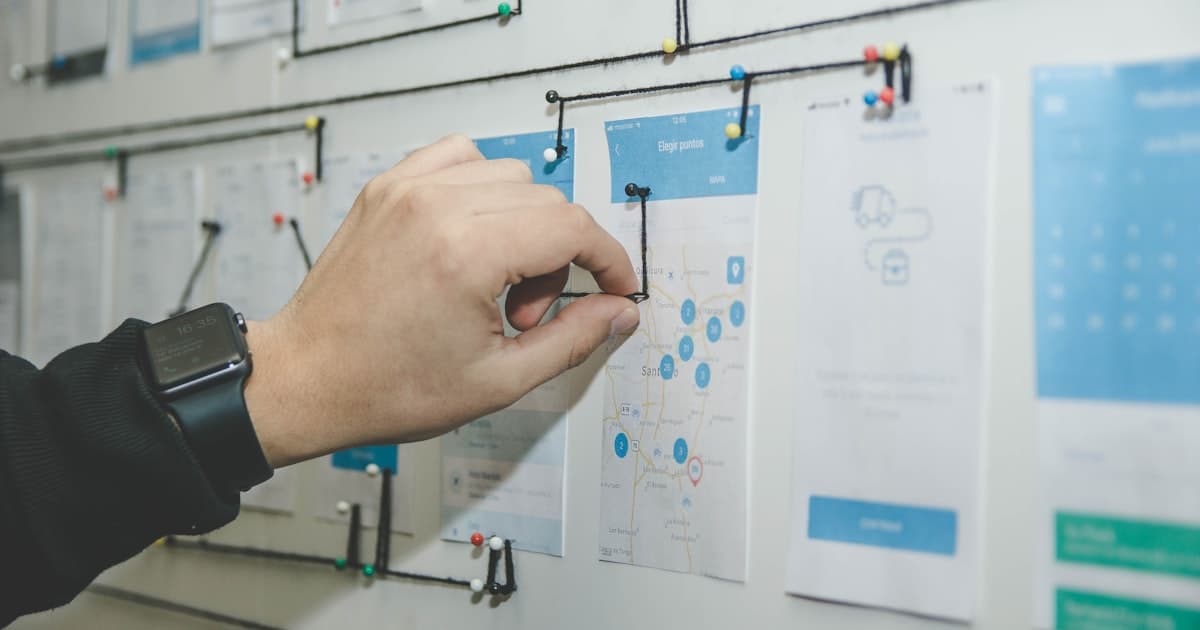
Design starts with wireframes—low-fidelity layouts that show page structure without visual styling. Once wireframes are approved, high-fidelity mockups add color, typography, imagery, and brand elements. Most agencies design 2–3 key pages first (typically homepage, a service page, and a contact page), then extend the system to remaining pages.
This is where timelines slip most often. Each round of revision adds 3–5 business days. One round of feedback is standard. Two rounds are common. Three or more rounds signal a misalignment between expectations and the project brief. A 2024 survey by Web Designer Depot found that projects with more than three design revision rounds take 40% longer than projects that stay within two rounds.

Phase 3: Content Creation (2–6 Weeks, Often Parallel)
Content is the invisible timeline killer. GoodFirms (2024) reports that 38.5% of designers say poor content readiness is the top cause of delays. Writing homepage copy, service descriptions, about page narratives, team bios, case studies, and blog posts takes far more time than most business owners budget for. A 10-page website needs roughly 5,000–8,000 words of original content.
The smart move is to start content creation during or before the design phase, not after development begins. If you need help structuring your pages, our website copywriting guide provides frameworks for every page type.
Phase 4: Development and Build (2–6 Weeks)
Development converts approved designs into a functioning website. This phase includes front-end coding (HTML, CSS, JavaScript), back-end setup (CMS configuration, database, server), and integrations (contact forms, analytics, CRM connections, payment processors). A standard WordPress or Webflow site takes 2–3 weeks of focused development. A custom-coded site on Next.js or a headless CMS takes 4–6 weeks.
Development timelines are the most predictable of all phases because they depend on technical scope, not client responsiveness. The variables are feature count, custom functionality, and third-party integrations. A contact form takes hours. A custom booking system with calendar sync takes weeks.
Phase 5: Testing and Quality Assurance (1–2 Weeks)
Testing covers cross-browser compatibility, mobile responsiveness, form submissions, page load speed, accessibility compliance, and SEO verification. Skipping this phase is how sites launch with broken forms, missing images on Safari, and pages that take 8 seconds to load on mobile. A Portent study (2022) found that a site that loads in 1 second converts 3x more than a site that loads in 5 seconds.
If you want to understand what goes into a thorough launch checklist, our website launch checklist covers 25 items to verify before going live.
Phase 6: Launch and Training (3–5 Days)
Launch includes DNS migration, SSL certificate setup, final redirect mapping, analytics verification, and Google Search Console submission. Most agencies also provide a training session covering CMS basics—how to update text, add blog posts, and swap images. This phase is short but critical. A botched migration can mean hours of downtime and lost SEO equity.
What Are the Most Common Delays in a Website Build?
The PwC Global IT Project Study found that only 2.5% of companies complete projects on scope, time, and budget. Websites are no exception. Here are the specific culprits we see most often.
1. Late or Incomplete Content
This is the number one delay. Development can't finish without final copy, product descriptions, team photos, and brand assets. Every week you're late on content is a week the project stalls. The fix: start writing content before the design phase begins, or hire a copywriter as part of the project scope.
2. Slow Feedback Cycles
When an agency sends mockups and waits 10 days for feedback instead of 3, the entire project shifts. Multiply that by 4–6 review touchpoints across a project, and you've added a month without anyone noticing it accumulate. Set internal response deadlines (48–72 hours) and stick to them.
3. Scope Creep
"Can we also add a blog?" "What about an event calendar?" "My business partner wants a members-only section." Each feature request, no matter how small it sounds, requires scoping, designing, developing, and testing. PwC data shows that 52% of projects experience scope creep. The best defense is a detailed project scope document or RFP signed before work begins.
Weeks Added to Project Timeline by Delay Type
4. Too Many Decision-Makers
A solo business owner making all decisions can approve a design in one day. A committee of five requires scheduling meetings, collecting opinions, resolving disagreements, and often starting over when a senior stakeholder who wasn't in the earlier meetings has a different vision. Designate one person as the final decision-maker for the project.
5. Excessive Design Revisions
Every agency expects revisions. One to two rounds are built into the process. But "I'll know it when I see it" feedback, where you can't articulate what you want but keep rejecting what's delivered, turns a 2-week design phase into a 6-week cycle. Provide specific, actionable feedback. "The hero feels too busy" is useful. "I don't like it" is not.
6. Third-Party Integration Surprises
Connecting your website to a CRM, email platform, booking system, or payment processor sounds straightforward until it's not. Legacy API documentation, outdated plugins, rate limits, and authentication issues can each add days. If your project includes integrations, confirm API access and credentials during the discovery phase, not during development. Our CRM integration guide covers the common technical pitfalls.
7. Unclear Requirements from Day One
Starting a build without a clear sitemap, defined user flows, and agreed-upon functionality leads to mid-project discoveries that require rework. "Oh, we also need a client portal" at week 6 of an 8-week project isn't a small add—it's a scope reset. Define everything up front with a proper project brief or RFP.
How Can You Cut 2–4 Weeks Off Your Website Timeline?
You can't rush development without sacrificing quality. But you can eliminate the client-side bottlenecks that account for most delays. Here's how to compress your timeline without cutting corners.
Prepare Content Before the Project Starts
Write your homepage copy, about page narrative, service descriptions, and gather team photos and brand assets before the kickoff meeting. If you can hand your agency a complete Google Drive folder of approved content on day one, you eliminate the biggest bottleneck entirely. Even rough drafts are better than nothing—they give the development team real text to work with instead of lorem ipsum.
Appoint One Decision-Maker
This person reviews mockups, approves content, and signs off on functionality. They can consult others internally, but the agency gets one voice with one set of feedback. Projects with a single point of contact consistently finish 30–40% faster in our experience.
Commit to 48-Hour Feedback Windows
When your agency sends a deliverable for review, respond within 48 business hours. Not with final approval necessarily, but with consolidated feedback. Most agencies plan their sprint cycles around your response time. A 48-hour turnaround keeps the team productive. A 10-day turnaround means they've moved to other projects and have to context-switch back.
Freeze the Scope After Discovery
Document every page, feature, and integration in a scope agreement during discovery. After that, any new requests go into a "Phase 2" backlog. This protects the timeline and the budget. It also forces you to prioritize what truly needs to be in the initial launch versus what can come later.
Impact of Client Preparation on Project Duration
The "Phase 2" Strategy
The fastest-launching websites we build all use the same approach: launch with 80% of the vision, then iterate. A 5-page site that goes live in 4 weeks and starts generating leads is more valuable than a 15-page site that's still in development at month 4. We call it the "Phase 2 backlog"—every nice-to-have feature that doesn't block lead generation gets parked for a Phase 2 sprint 30–60 days post-launch. You get live faster. You make decisions based on real user data instead of assumptions. And you avoid the "perfect is the enemy of live" trap that kills timelines.
How Do Build Timelines Differ by Platform?
The platform you choose affects both the build timeline and long-term maintenance burden. Here's how the most popular platforms compare for a standard 10-page business website with a contact form, blog, and basic SEO setup.
| Platform | Build Time | Best For | Trade-off |
|---|---|---|---|
| Squarespace | 1–3 weeks | Simple brochure sites, portfolios | Limited customization |
| WordPress (theme) | 3–6 weeks | Content-heavy sites, blogs | Plugin dependency, maintenance |
| Webflow | 3–5 weeks | Design-forward marketing sites | Steeper learning curve for editors |
| Shopify | 3–8 weeks | E-commerce focused businesses | Transaction fees, template constraints |
| WordPress (custom) | 6–12 weeks | Complex functionality, scalability | Higher cost, ongoing updates |
| Next.js / Custom Code | 8–16 weeks | Performance-critical, unique features | Highest cost, requires dev team |
If you're still deciding which platform fits your business, our comparison guides on Webflow vs WordPress, Shopify vs WooCommerce, and the best CMS for small business go deep on each option with real pricing and performance data.
How Do DIY and Agency Timelines Compare?
Building your own website on a template platform takes 2–4 weeks if you work on it consistently. But "consistently" is the problem. Most business owners fit website work into evenings and weekends between running their actual business. A project that would take 3 weeks of focused effort often stretches to 3–6 months of sporadic work.
An agency completes the same scope in a fraction of the elapsed time because it's their full-time job. The trade-off is cost. A template site you build yourself costs $200–$500. The same scope built by an agency costs $3,000–$8,000. But the agency version launches faster, converts better, and includes SEO setup you'd have to learn yourself. For a deeper dive into this decision, see our DIY vs. web designer comparison.
The hidden cost of DIY isn't the platform fee—it's the opportunity cost. Every hour you spend tweaking Squarespace is an hour you're not spending on revenue-generating activities. If your billable rate is $150/hour and you spend 60 hours building a site, you've "spent" $9,000 in lost revenue on a $200 platform.
Frequently Asked Questions
Can a website be built in one week?
A basic 1-3 page website using a template platform like Squarespace or Wix can launch in one week if content is pre-written and images are ready. However, a custom-designed business website with original copy, professional photography, and SEO setup requires a minimum of 3-4 weeks even on an accelerated timeline. Rushing a custom build leads to cut corners on strategy, testing, and quality that cost more to fix later.
What takes the longest in the website build process?
Content creation is the single biggest bottleneck in most website projects. According to the Web Design Survey by GoodFirms (2024), 38.5% of designers cite poor content as the top reason for project delays. Writing homepage copy, service descriptions, case studies, and blog posts takes longer than most business owners expect. Starting content work during the design phase rather than waiting until development is the most effective way to compress timelines.
How long does a WordPress website take to build?
A WordPress website with a premium theme and 5-10 pages typically takes 3-6 weeks. A fully custom WordPress build with a bespoke theme, custom post types, and plugin integrations takes 6-12 weeks. The platform itself does not determine the timeline as much as the complexity of the design, the number of custom features, and how quickly content is finalized. WordPress with page builders like Elementor falls on the faster end; headless WordPress with a React frontend falls on the slower end.
Does adding e-commerce extend the timeline?
Yes. Adding e-commerce typically adds 2-6 weeks to a website build depending on complexity. A simple Shopify store with 20 products can be set up in 2-3 weeks. A WooCommerce or custom checkout with payment gateway integration, shipping calculators, inventory management, and product filtering adds 4-6 weeks. Product photography, writing product descriptions, and configuring tax rules are the hidden time sinks most business owners underestimate.
How long does SEO setup take during a website build?
Technical SEO setup during a website build takes 1-2 weeks of development time, spread across the build. This includes keyword research, meta title and description writing, URL structure planning, schema markup implementation, image optimization, site speed tuning, XML sitemap generation, and Google Search Console setup. Comprehensive on-page SEO for each page adds roughly 1-2 hours per page. Skipping this during the build means paying for it separately later, often at a higher cost.
Your Website Timeline Is in Your Hands
The honest answer to "how long does it take to build a website?" is: it depends on you more than it depends on your agency. The development work has predictable timelines. Content creation, feedback speed, scope discipline, and decision-making are the variables that determine whether your project takes 5 weeks or 5 months.
Here's the playbook: write your content before kickoff, appoint one decision-maker, respond to reviews within 48 hours, and freeze your scope after discovery. Do those four things and your project will land on the faster end of every range in this guide. Skip them and you'll wonder why your 6-week estimate turned into a 4-month ordeal.
Ready to start planning? Our website brief guide helps you document everything your agency needs to hit the ground running. And if you're still evaluating partners, our guide on choosing the right web design agency gives you the framework to find one that respects timelines as much as you do.
Ready to Build Your Website?
At Verlua, most small business websites go from signed contract to live site in 4–6 weeks. We handle strategy, design, development, content integration, SEO setup, and launch—with a clear timeline and weekly progress updates so you always know where things stand.
Get a Free Timeline EstimateFounder & Technical Director
Mark Shvaya runs Verlua, a web design and development studio in Sacramento. He builds conversion-focused websites for service businesses, e-commerce brands, and SaaS companies.
California real estate broker, property manager, and founder of Verlua.
Stay Updated
Get the latest insights on web development, AI, and digital strategy delivered to your inbox.
No spam, unsubscribe anytime. We respect your privacy.
Comments
Comments section coming soon. Have questions? Contact us directly!
Related Articles
How Much Does a Website Really Cost?
Complete pricing breakdown for small business websites in 2026.
Read More about How Much Does a Website Really Cost?How to Write a Web Design RFP That Gets Great Proposals
Write an RFP that agencies actually respond to. Free template included.
Read More about How to Write a Web Design RFP That Gets Great Proposals